To turn your child's drawing into a storybook, first ask them to explain what is happening in the picture. Photograph or scan the original, write down the character's must-keep features, and build one small problem around it. Then create an illustrated draft and review every page with the child before you print. The drawing supplies the character; the child's explanation supplies the story.
A crooked crown, six green legs, and a tiny door in the character's stomach may look accidental to an adult. To the artist, those details may be the whole point. Record them before any software tidies them away.
How to Turn Your Child's Drawing Into a Storybook

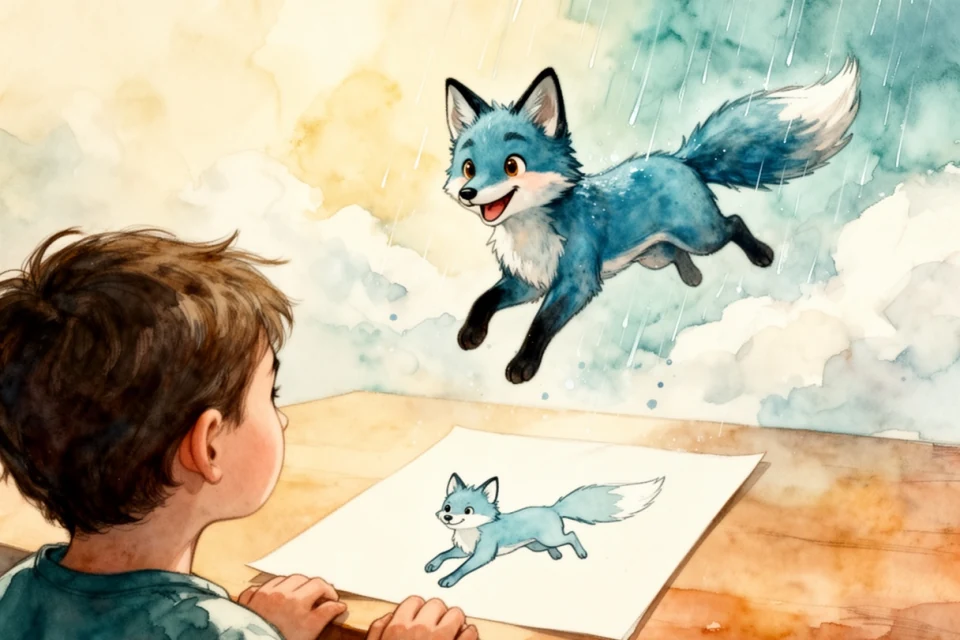
To turn your child's drawing into a storybook, first ask them to explain what is happening in the picture. Photograph or scan the original, write down the character's must-keep features, and build one small problem around it. Then create an illustrated draft and review every page with the child before you print. The drawing supplies the character; the child's explanation supplies the story.
A crooked crown, six green legs, and a tiny door in the character's stomach may look accidental to an adult. To the artist, those details may be the whole point. Record them before any software tidies them away.
1. Let the child describe the picture first
Do not begin with "What is it?" That can sound like the drawing has failed a test. Try questions that assume a story is already there:
- Who is this?
- What happened one minute before this picture?
- What does the character want?
- Which part must stay exactly the same?
- Is anything in the picture invisible to everyone else?
- What would make the character laugh, worry, or get angry?
Write the answers in the child's words. If they call the hat a "weather catcher," keep that phrase. A polished substitute such as "magical helmet" is less specific and no longer theirs.
PBS literacy guidance encourages families to read, write, draw, and tell stories together. The useful word is together. An adult can help with structure and spelling without quietly taking over the invention.
For a child who does not want to answer questions, make one observation and wait: "I see the moon has pockets." Silence often gives them room to correct you or add the next detail.
2. Make a clean copy without discarding the original
Put the drawing near a window in even daylight and photograph it from directly above. Keep the paper square in the frame and watch for shadows from your hands or phone. A scanner works well for a flat, sturdy sheet that fits comfortably on the glass.
Do not force folded, fragile, painted, or decorated artwork under a scanner lid. The US National Archives recommends careful handling during digitization and keeping originals because digital copies can also be lost. Photograph bulky work in place instead.
Save one untouched master before cropping or correcting color. A simple filename can hold the artist, approximate date, and character name:
2026-09-lina-cloud-fox-original.jpg
2026-09-lina-cloud-fox-cropped.jpg
2026-09-lina-cloud-fox-notes.txt
Add the child's explanation to the notes file. Back up the folder, then store the paper original somewhere dry and away from direct sunlight. The book is a new work built from the drawing, not a replacement for it.
3. Turn visual clues into a character brief
An image generator will make choices wherever your instructions leave a gap. Before creating pages, translate the drawing into a short visual brief.
Suppose the picture shows a blue fox with a triangular tail, one yellow boot, and clouds caught in its antlers. The brief might be:
Nimbo is a small blue fox with short antlers that catch loose clouds. Nimbo has a flat triangular tail, one yellow boot on the left back paw, round black eyes, and no clothes. Keep the crayon-like uneven outline. Do not add a second boot or turn the antlers into branches.
Split the notes into three groups:
| Keep exactly | Safe to interpret | Avoid |
|---|---|---|
| Blue body, triangular tail, one boot | Background, pose, weather | Extra clothes, realistic fur, second boot |
This protects the odd details that make the character recognizable. It also gives you a fair way to review generated pictures. "It feels wrong" becomes "the tail is rounded and a second boot was added."
If exact reproduction of every line matters, make a scanned art book instead. A storybook illustration interprets the source drawing in new poses and scenes. That change can be delightful, but it should be intentional.
4. Give the character one problem to solve
Do not stretch one drawing into a biography. Picture books are easier to finish when the plot fits in one sentence:
Nimbo catches every cloud in the valley, then has to return them before the gardens dry out.
Build four beats from that sentence:
- Beginning: Show the character's ordinary world and unusual ability.
- Problem: Let that ability create or reveal a specific difficulty.
- Change: Give the character a choice, attempt, or discovery.
- Ending: Solve the opening problem and show one concrete result.
Ask the child for the turn, not just the decoration. Should Nimbo shake the clouds loose, trade them for rain seeds, or ask the birds for help? Their answer will usually be stranger and more memorable than an adult's first idea.
The Smithsonian's Look, Talk, Play activities use storytelling, drawing, and everyday objects to practise literacy, creativity, and communication. You do not need to turn the project into a lesson, though. A funny, coherent story is enough.
5. Use a prompt that leaves room for the artist
Whether you are briefing a person or an AI tool, separate the non-negotiable facts from the open creative choices. Try this template:
Create a picture-book story for [reader and age].

Main character:
[Name and exact visual description from the drawing]

Must keep:
[Three to six details the child chose]

Story problem:
[One sentence]

Four story beats:
Beginning: [...]
Problem: [...]
Change: [...]
Ending: [...]

Tone:
[Funny, gentle, adventurous, quiet, or another clear direction]

Avoid:
[Anything frightening, preachy, copied from a known character, or visually wrong]

Leave these choices open for the child:
[Name of a place, helper, object, final joke, or dedication]
Read the prompt aloud before using it. If the child says, "Nimbo would never do that," fix the plan now. It is much easier than repairing twenty pages built on the wrong choice.
The AI storybook prompt guide has a fuller template for pacing, illustration notes, and age fit.
6. Review the draft in two separate passes
First read only the words. Does the problem arrive early? Does the main character make a choice? Can you remove a repeated explanation? Read it aloud at normal bedtime speed and mark any sentence that makes you stumble.
Then inspect the pictures page by page. Check the must-keep list, character size, colors, limbs, clothing, important objects, and background text. Compare adjacent pages. A one-booted fox should not acquire matching shoes halfway through the story.
Show the child a manageable choice: "Which of these two faces looks more like Nimbo?" A full editor with dozens of controls can turn collaboration into fatigue. Save a new version after meaningful changes so you can return to the earlier draft.
Generated pages sometimes contain awkward hands, merged objects, unreadable signs, or characters that drift in appearance. Replace those images. A fast first draft is useful only when you can change it.
7. Keep private details out of the story
A child's drawing may include a full name, school badge, street number, or a recognizable room. Crop or cover details that the story does not need before uploading a copy. Check who can see the project, whether drafts are public by default, how files are used, and how deletion works.
The UK Information Commissioner's Office recommends discussing privacy choices with children and agreeing what personal details, photos, and AI inputs are acceptable to share. Let the child veto a page they find embarrassing. Ask another parent before including a friend or classmate as a recognizable character.
Keep the character original. If the drawing is clearly a copy of a famous figure, use it as a starting exercise and help the child change the name, appearance, world, and personality rather than requesting a near-duplicate.
Make the drawing's creator part of the Storique book
Storique is a strong fit when the goal is more than archiving the artwork. You can define an original fictional character from the child's description, add real people or pets as story heroes, and give the system the plot you worked out together. Storique then creates a fully illustrated draft that you can edit page by page before ordering a hardcover.
The child who drew Nimbo can join the adventure, illustrated recognizably from family-approved reference photos. If an image gives the fox two yellow boots, you can regenerate it. You can also revise the text, add pages, and review the complete book before it goes to print. The Storique creation guide shows the editor and ordering flow, while pricing explains what the hardcover package includes.
Storique interprets the child's character rather than reproducing every line. If you only want an exact collection of artwork, digitize the drawings and make an art book. If you want one original character to move, choose, get into trouble, and share a story with the child who invented it, Storique gives that idea room to become a book.
Frequently asked questions
Does the drawing need to be good?
No. Clear artistic skill is not the requirement. You need a few choices the child cares about: a shape, color, object, name, ability, or way of moving. A stick figure with a surprising explanation can carry a better story than a polished drawing with no character behind it.
Should I scan or photograph children's artwork?
Scan flat, sturdy paper that fits without pressure. Photograph artwork that is large, folded, fragile, painted, or decorated with raised materials. In both cases, keep an untouched master file and the paper original.
How do I keep the generated character close to the drawing?
Write a must-keep list, an avoid list, and a precise visual description. Review adjacent pages for changes in color, shape, clothing, and distinctive features. Replace any illustration that loses a detail the child considers essential.
Can my child appear in the story with their drawn character?
Yes. In Storique, the story can include real people illustrated from reference photos as well as animals or fictional characters. Use only photos you have permission to share, and review every generated page before printing.
Sources
- Launching Young Readers: parent tips, PBS
- Look, Talk, Play: family learning activities, Smithsonian's National Museum of American History
- Digitizing Family Papers and Photographs, US National Archives
- Switched on to privacy checklist, UK Information Commissioner's Office
A little story magic, delivered.
New free stories, thoughtful gift ideas, and occasional Storique news — one lovely email at a time.
- Free stories
- Gift ideas
- Storique news