
Choose an AI storybook maker by checking the finished book, not the promise on its home page. Look for recognizable characters across several pages, control over the text and individual illustrations, a clear policy for uploaded photos, a complete preview before printing, and a price that includes the format you actually want. If any of those answers is vague, keep looking.
The right tool also depends on the job. A quick bedtime story needs good text and little else. A hardcover starring your child, partner, grandparent, or pet needs consistent illustrations, a story you can change, and a careful review before it reaches the printer.
Storique is built for that second job. It creates an illustrated draft around your own characters and story idea, then lets you edit the text, replace or vary illustrations, add pages, and order a hardcover when the book feels right. The creation guide shows the full workflow.
How to Choose an AI Storybook Maker

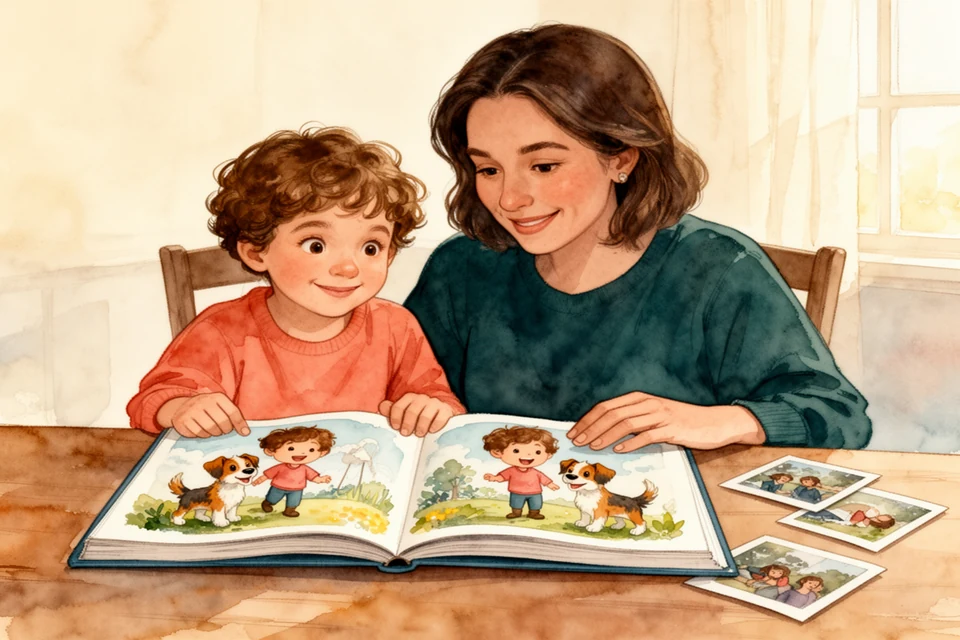
Choose an AI storybook maker by checking the finished book, not the promise on its home page. Look for recognizable characters across several pages, control over the text and individual illustrations, a clear policy for uploaded photos, a complete preview before printing, and a price that includes the format you actually want. If any of those answers is vague, keep looking.
The right tool also depends on the job. A quick bedtime story needs good text and little else. A hardcover starring your child, partner, grandparent, or pet needs consistent illustrations, a story you can change, and a careful review before it reaches the printer.
Storique is built for that second job. It creates an illustrated draft around your own characters and story idea, then lets you edit the text, replace or vary illustrations, add pages, and order a hardcover when the book feels right. The creation guide shows the full workflow.
The seven-question shortlist
Use this table before you create an account or upload a photo.
| Ask this | Look for this | Warning sign |
|---|---|---|
| What does "personalized" mean? | A new story, recognizable characters, and details you choose | Only the name or hair color changes |
| Can I inspect a whole book? | Interior pages with the same character in different scenes | A beautiful cover and no page sequence |
| What can I edit? | Text, individual images, page order, and the ending | One-click generation with no useful revision path |
| What happens to photos? | Plain answers about use, storage, visibility, and deletion | Photos are requested before the policy is easy to find |
| What is included? | Story, illustrations, preview, revisions, print, and shipping are separated clearly | A low starting price with an unclear finished cost |
| Can I review before printing? | A page-by-page preview and a final approval step | The first draft goes straight to production |
| What arrives at the end? | The digital or printed format, page count, and delivery expectations are explicit | "Create a book" turns out to mean a text file or slideshow |
1. Decide which kind of storybook you want
"AI storybook maker" covers several different products.
A text-first tool writes a story and may add a few illustrations. It can work for tonight's bedtime tale. A template book starts with a finished plot and changes a name, appearance, or dedication. It is predictable when the available story already suits the child.
A photo-based personalized storybook has a harder job. It must turn a real person or animal into an illustrated character, keep that character recognizable from page to page, and fit family details into a coherent plot. If this is what you want, a general writing tool or name-only template is not a like-for-like alternative.
Write one sentence before comparing tools:
I want a ___-page story for ___, starring ___, delivered as ___ by ___.
A tool may write excellent text but offer no print option. Another may print a polished book but give you no control over the plot.
2. Test the depth of personalization
A child's name in a fixed paragraph is personalization, but it is the shallowest version. For a book that should feel specific to one family, check what changes beyond the name:
- Does the main character resemble the real person or pet in more than one pose?
- Can the plot use a real habit, place, relationship, or shared joke?
- Can you correct the draft when the system misunderstands one of those details?
Ask to see inside pages as well as covers. Compare the same character in close-up and wide scenes. Look at glasses, hair, hands, clothing, pets, and any object the plot depends on. A missing front tooth or one floppy dog ear should not disappear halfway through the book.
Storique lets you choose up to three real people, animals, or fictional characters as the heroes. It uses reference photos to create recognizable illustrated characters, then builds the story and artwork around them. That makes it a strong choice when likeness and relationships matter more than getting a generic story instantly.
3. Treat editing as part of the product
The first generated version is a draft. Even good systems can repeat a phrase, flatten a family joke, change a coat halfway through the book, or draw a beautiful scene that contradicts the text.
Useful editing control is specific. You should be able to:
- rewrite a sentence without rebuilding the entire book;
- replace or vary one illustration;
- correct names, accents, relationships, and visual details;
- add or remove a page when the pacing is wrong;
- read the complete sequence before approving it.
The US National Institute of Standards and Technology includes reliability, transparency, explainability, and privacy among the characteristics of trustworthy AI. Its AI Risk Management Framework is not a shopping guide. Applied to a storybook purchase, those broad principles suggest a practical test: can you understand the result, spot a failure, and correct it before the book is printed?
Storique keeps that review in the creation flow. You can modify the story, edit text, regenerate or vary illustrations, and add pages before you order. This control is the main reason to choose it over a tool that produces a locked file in one click.
4. Check photo privacy before uploading
Photos of a child are personal data, not a neutral creative ingredient. Read the service's privacy policy before upload and find answers to four questions:
- Why are the photos needed?
- Who can see the project or generated pages?
- How can you request deletion?
- Does the service ask for more information than the book requires?
The UK Information Commissioner's Office says services covered by its Children's code should use high-privacy defaults and give children and carers more control. Its data-minimisation guidance says providers should collect only what each part of a service needs. Those are sensible questions even when the parent operates the storybook tool.
Storique's current privacy notice identifies its third-party AI service providers and explains how personal information is processed for AI features. It also covers retention and security measures, states that no internet transmission can be guaranteed completely secure, and provides a self-service account deletion option. Read that notice before uploading and decide whether its terms fit your family.
Use copies of the selected photos rather than treating the service as your family archive. The US National Archives recommends keeping originals after digitization because digital files can also be lost. Its family digitization guidance also recommends useful filenames and backups.
Remove unnecessary location clues from upload copies. Do not include another family's child without permission. Agree who may see the book before publishing any pages.
5. Compare the complete result and price
Do not compare a digital story, a print-ready file, and a delivered hardcover as if they were the same product. Write down what each price includes:
- story length and illustrations;
- character setup from photos;
- editing and regeneration limits;
- digital access;
- page count, size, paper, and binding;
- shipping, taxes, and extra-copy costs.
A cheap starting price can become expensive if you must buy image credits, arrange the pages elsewhere, print a proof, and fix the result yourself. A high price is not proof of quality either. The preview and revision rights tell you more.
Storique combines the personalized draft, its generated illustrations, editing tools, and hardcover ordering in one workflow. The pricing page shows the current regional package and additional-copy options. Compare that finished package with the finished format you want, not with a free text generator.
6. Run a five-page quality check
Before approving a book, inspect five places where weak drafts reveal themselves:
- The opening: does something specific happen quickly?
- The first clear view of the hero: do they look recognizable?
- A busy scene: are the people, pets, hands, and objects plausible?
- The turning point: does the hero make a meaningful choice?
- The ending: does it resolve the story without explaining a tidy moral?
Then read the whole book aloud. Shorten sentences that make you run out of breath. Remove text that merely describes the picture. Check that the illustration and sentence tell the same version of the event.
For photo preparation and a full page-by-page review, use the personalized storybook with photos guide. If you are still choosing between a storybook and a conventional album, compare the photo book, memory book, and personalized storybook first.
When Storique is the better choice
Choose Storique when you want a complete illustrated book about recognizable people or animals, care about the plot as much as the likeness, and want to revise the result before ordering a hardcover. It works especially well for a family memory or milestone gift where two or three characters need to belong in the same visual world.
A simpler tool may suit you better if you only want a disposable text story for tonight, a fixed template with a child's name, or raw image files for a book you plan to design and print yourself. Storique asks for more input because it is making a more personal object.
If that is the object you want, gather your character photos, write down the one memory or adventure the book should follow, and start your Storique storybook. You can shape the draft before anything goes to print.
Frequently asked questions
What is an AI storybook maker?
An AI storybook maker uses text and image models to create an illustrated story from a prompt, theme, or personal details. Some make generic digital stories. Others use photos to create recognizable characters and offer editing plus printed books.
Which AI storybook maker is best for a personalized hardcover?
For a hardcover about real people or pets, prioritize consistent photo-based characters, page-level text and image editing, a complete preview, and integrated printing. Storique is designed around those requirements, with an editable family-specific story instead of a name inserted into a fixed template.
How many photos should I upload?
Follow the service's stated requirement. Whatever the number, choose clear, recent photos with visible eyes, soft light, and more than one useful angle. More dark or repetitive images do not make a better reference set.
Can I edit an AI-generated storybook?
That depends on the tool. Check whether "editing" means starting over or changing one sentence and one illustration in the existing book. Storique supports text edits, illustration regeneration and variation, and added pages before ordering.
Is a free AI storybook maker enough?
It can be enough for a quick digital story or an early idea. For a printed keepsake, calculate the cost and work needed for consistent characters, revisions, layout, high-resolution output, proofing, and printing. A free first draft is not automatically a finished book.
Sources
- AI Risk Management Framework FAQs, US National Institute of Standards and Technology
- The Children's code and children's online privacy, UK Information Commissioner's Office
- Children's code: data minimisation, UK Information Commissioner's Office
- Digitizing Family Papers and Photographs, US National Archives
A little story magic, delivered.
New free stories, thoughtful gift ideas, and occasional Storique news — one lovely email at a time.
- Free stories
- Gift ideas
- Storique news